Most up-to-date information (March 2021)
Now, IntelliJ 2020.2 fully supports reviewing Pull Requests.

Accessing the feature
You can either navigate to: Main menu > VCS > Git > View Pull Requests.

Or it might be in your left “side-menu” (here the third option from the top):

Further information
It seems to be mostly an integration for GitHub (source):
Now the entire GitHub pull request workflow can be done directly from IntelliJ IDEA. It’s possible to browse, assign, manage, and even merge pull requests, view the timeline and inline comments, submit comments and reviews, and accept changes.
A more in-depth description of all the VCS-related features introduced can be found here:
Full GitHub Pull Requests support
We are excited to announce that IntelliJ IDEA 2020.2 will come with full support for GitHub Pull Requests!
We introduced initial support for GitHub Pull Requests with v2018.3, and we’ve been enhancing this functionality ever since. Previously, the IDE had some useful features, such as the GitHub tool window with a list of all pull requests associated with the repository, the Timeline view for a pull request, which opens in the editor, and the ability to view comments in diffs and create comments of your own. But those features were mostly for viewing pull requests and not for interacting with them.
With the upcoming IntelliJ IDEA 2020.2, you’ll be able to browse, assign, manage, and even merge pull requests, view the timeline and in-line comments, submit comments and reviews, and accept changes.
You no longer need to switch between the browser and your IDE. The entire Pull Request workflow can now be completed from within IntelliJ IDEA!
More previews
And two more sneak-peaks for the Review and Merge:


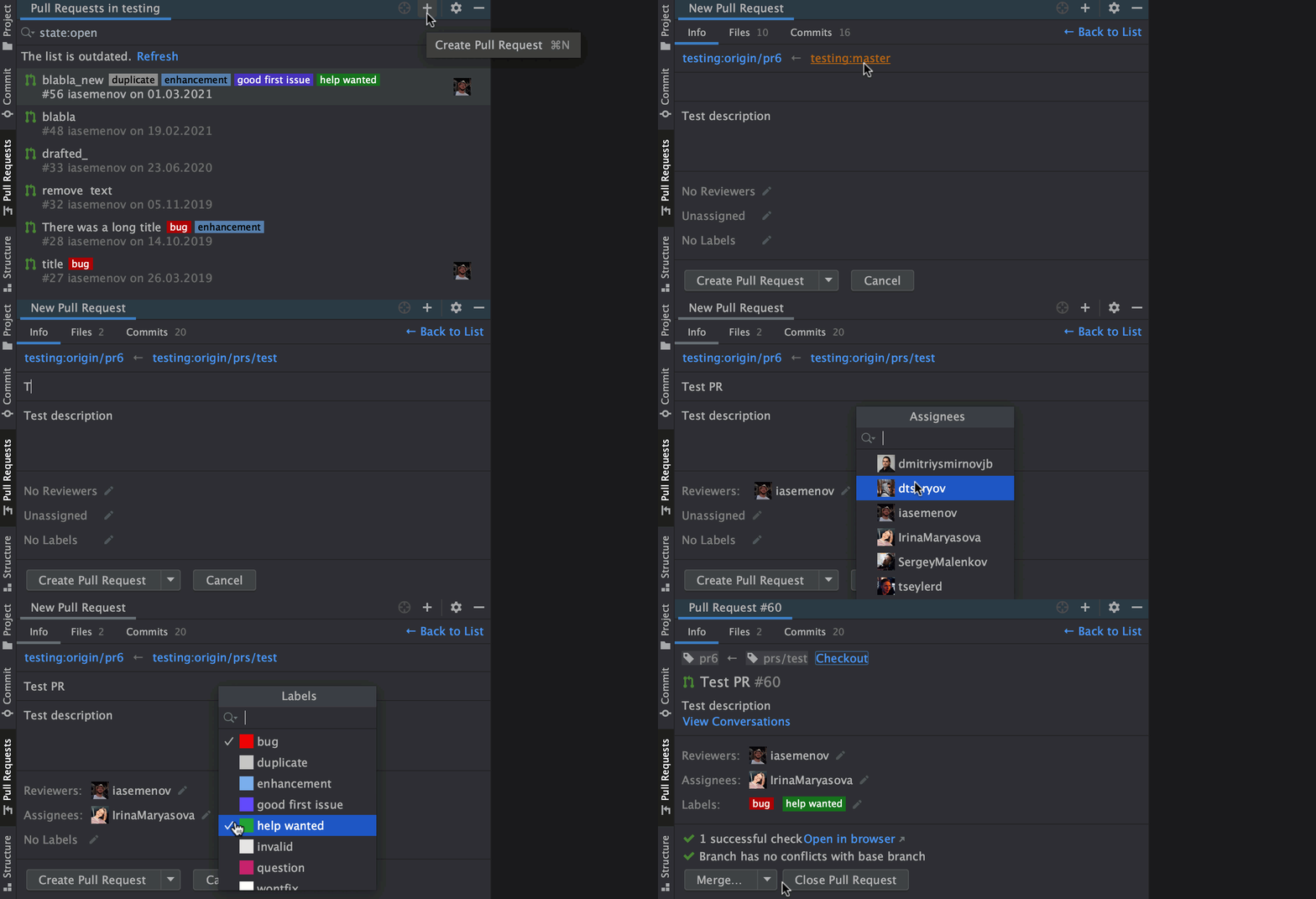
Creating PRs
Moreover, as of 2021.1, you can create Pull Requests, too: